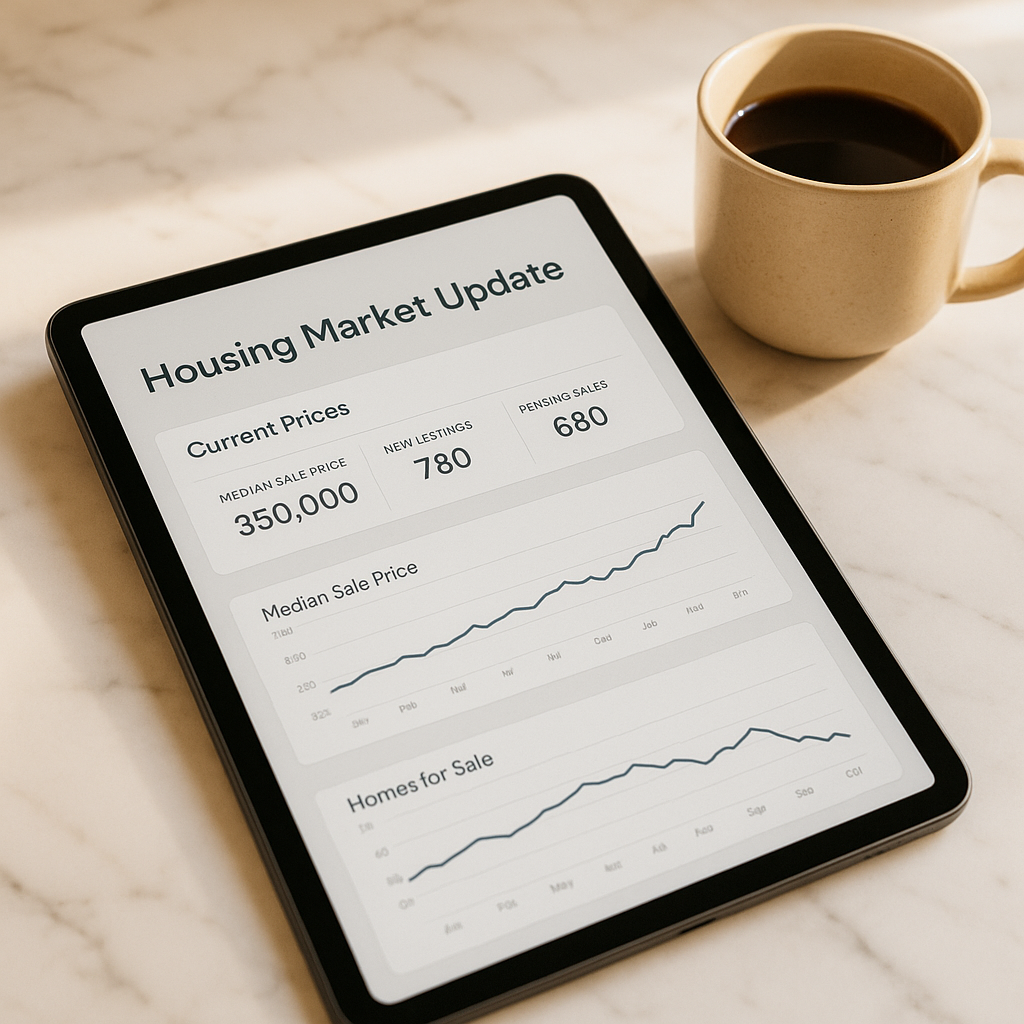
Seller Market Update That Gets 3x More Listing Conversations
One agent used this seller market update strategy to generate 9 listing conversations in 30 days from past clients who had been silent for over a year.
Want More Clients Fast?
Steal This Website Rescue Kit to Get More Clients, More Calls, and More Sales on Autopilot
When inventory is low and buyers are competing, sellers look to you for clarity and confidence. Sharing consistent, helpful updates builds trust, positions you as the market expert, and keeps your pipeline warm. In this guide, we’ll explore powerful realtor seller market update ideas that help you communicate smarter, close more listings, and strengthen your brand online.
Why Market Updates Matter More Than Ever
Most homeowners only sell a few times in their lives. They don’t follow market trends, rates, or demand shifts daily…but you do. Providing clear, data-backed updates helps them make confident decisions while subtly reminding them that you’re their go-to expert.
Realtors who regularly share local updates are seen as educators, not salespeople. This difference can mean everything when it comes time for them to choose who lists their home.
How to Communicate Seller Market Updates Like a Pro
Here are a few realtor seller market update ideas that help you stand out:
1. Use Storytelling to Simplify Data
Instead of dumping statistics, turn them into stories.
For example:
“Last month, homes in Citrus County sold 14% faster…meaning buyers are jumping on listings faster than ever.”
“In June, two of my listings sold within 5 days after small upgrades like fresh paint and updated lighting.”
Stories make your updates feel human, not technical. Share what those numbers mean for sellers.
2. Compare Market Data Month-to-Month
Sellers love visuals. Create a clean graphic showing:
Average days on market
Median sale price
Inventory level changes
Interest rate shifts
Tools like Canva or Google Sheets can help you generate professional visuals in minutes. If you’re not sure what tools to use, check out Best Free Tools for Realtors.
3. Add Local Flavor
National housing reports are useful, but hyperlocal updates are where you shine. Reference:
School district changes
New neighborhood developments
Local economic shifts or job growth
This local touch makes your updates feel personal and relevant.
Where to Share Your Seller Market Updates
Email Newsletters
Keep it short, punchy, and visual. A well-designed monthly “Seller Market Pulse” email can become your clients’ favorite read. Use engaging subject lines like:
“Is It Still a Seller’s Market in Tampa?”
“Why Homes Like Yours Are Selling Faster Than Ever”
If you’re building an email list, our post on Email Marketing for Real Estate Agents breaks down how to create high-converting campaigns.
Social Media
Turn your market updates into shareable content:
30-second video summaries on Instagram Reels
Facebook infographics comparing last month’s stats
Short LinkedIn insights about pricing trends
If you’re unsure which platform to prioritize, start with Facebook…it’s still where most homeowners hang out. To make your ad spend count, read Facebook Ads vs Google Ads for Realtors.
Your Website’s Blog
Publishing your updates as blog posts does double duty:
Keeps your site fresh for Google’s algorithm.
Builds authority with sellers searching “home values near me.”
You can even optimize each post with keywords and location tags for better ranking…similar to what we discuss in Local SEO for Real Estate Agents.

See How Many Closings You're Losing to Zillow!
Click Here to Use our Calculator to See How Many Clients Zillow is Taking From You Per Year!
Creative Seller Market Update Ideas That Convert
1. “What This Month’s Numbers Mean for You”
Break down what the current stats mean for different seller situations:
“If you’ve been on the fence about listing, rising prices mean your window is still open.”
“If your home sat unsold before, reduced inventory could give you a second chance.”
2. “The 60-Second Market Snapshot”
Create a quick video update once a week. Mention one powerful insight and what it means for local sellers. Consistency matters more than production value…especially if you follow our Real Estate Video Background Websites guide for creating visual impact.
3. “Price-Per-Square-Foot Watch”
Most sellers love tracking home values. Post weekly or monthly updates like:
“Homes in Pinellas County are averaging $312 per square foot this month…up 6% from last quarter.”
This makes you the go-to source for homeowners curious about their home’s worth.
4. “Hidden Factors Affecting Home Value”
Educate sellers on factors beyond comps…like curb appeal, school zones, and seasonality. For a deep dive, link to How to Attract High-End Sellers Online for additional insights on appealing to premium clients.
5. “Behind the Numbers”
Pull back the curtain and explain why the market behaves a certain way. Example:
“Rates went up this week, but demand stayed strong due to limited inventory.”
“Cash buyers are slowing down, creating more opportunity for traditional sellers.”
How Often Should You Send Seller Market Updates?
The sweet spot for most agents is:
Weekly social posts
Monthly email updates
Quarterly blog summaries
You can also create an automated sequence that sends updates at these intervals. This strategy ties perfectly with our Automated Follow-Up for Realtors article, which explains how to nurture leads effortlessly.
How to Use Market Updates to Generate More Listings
Your goal isn’t just to inform…it’s to inspire action. Each update should have a simple call to action like:
“Curious what your home is worth today? Get a free estimate.”
“See how your neighborhood’s prices compare here.”
If you want more seller leads, pair your updates with a home value landing page. You can build one in minutes using the ideas from Real Estate Landing Page Optimization.
Pro Tips to Make Your Market Updates Stand Out
Use Video First: A 30-second clip of you speaking confidently can outperform a text-only post tenfold.
Keep It Local: Mention street names, schools, or landmarks for familiarity.
Add Your Branding: Use your logo and colors consistently across visuals.
Engage Back: Ask questions like “Would you sell if you knew your home value increased 10% this year?”
Repurpose Content: One strong update can become a blog post, social post, and email newsletter.
Bringing It All Together
Strong communication builds strong relationships. By implementing these realtor seller market update ideas, you’ll not only keep your clients informed…you’ll also build trust, authority, and a consistent source of listings.
If you want a professional platform that makes sharing updates effortless, book a free consultation with Digital Dream Homes. We’ll help you build a website that showcases your market expertise, attracts sellers, and converts visitors into loyal clients.
Matt Pieczarka
Want a Free Website Audit?
Fill out your information below and we will send you a personal screen share video of tips on how to make your actual website better!
Some More Posts About Strategy and Growth…
- Marketing Plan For Small Business 2026 Every Owner Should Copy
- Benefits of Professional Website for Small Business: The Hidden Profits
- How to Get More Referrals for Small Local Business Fast
- Customer Retention Strategies Small Business Owners Never Hear About
- How Small Businesses Compete Online And Actually Win In 2026
- Blogging for Small Business Growth: 2026 Profit Multiplier
- Sales Funnel For Small Business Website That Prints Money
- What Is A Listicle And Why Your Website Desperately Needs One
- Strategic Website Design That Turns Small Business Clicks Into Clients
- The Simple Blueprint to Explosive Small Business Growth
10 Personal Trainer Website Mistakes That Are Costing You Clients Every Single Day
Your website might be turning away dream clients before they ever read a word. Here are 10 costly website mistakes personal trainers make and exactly how to fix each one today.
The Personal Trainer Homepage Formula: What to Put Above the Fold to Stop Visitors From Leaving
You have 3 seconds before a website visitor bounces. This proven homepage formula tells personal trainers exactly what headline, image, and CTA to use above the fold to make visito
Squarespace vs WordPress for Personal Trainers: Which Platform Wins in 2026?
Choosing the wrong platform wastes months of work. This side-by-side comparison breaks down Squarespace vs WordPress for personal trainers based on cost, SEO, ease of use, and book
How to Build a Personal Trainer Website That Books Clients While You Sleep: 8 Essential Pages
Most trainer websites are glorified digital business cards. These 8 essential pages and conversion principles turn your site into a 24/7 client-booking machine that works while you
How to Build a Personal Training Brand on Social Media Without Showing Your Face
Not comfortable on camera? You can still build a powerful personal training brand on social media. These 6 faceless content strategies have helped trainers grow engaged audiences a
Facebook Ads for Personal Trainers: How to Get Your First Lead for Under $10
Facebook Ads feel complicated until you run your first successful campaign. This beginner breakdown shows personal trainers the exact ad type, audience, and offer to generate leads
How to Use Instagram Stories to Book More Personal Training Sessions Every Week
Instagram Stories are being used by top trainers to fill their calendars without paid ads. Here's the exact Stories strategy and weekly cadence that drives consistent booking reque
What to Post on Instagram When You Have No Transformations Yet: 8 Content Types That Build Trust
New trainer with no before-and-after photos? No problem. These 8 content types build credibility and attract your first paying clients even when your portfolio is empty.
The Personal Trainer’s Guide to Getting 5-Star Reviews on Google and Facebook
Reviews are the fastest way to build trust online and most trainers never ask for them. This guide includes the exact script, timing, and follow-up system to collect 5-star reviews