
Realtor About Page Best Practices: The Ideal Realtor About Page Layout
If you want more listings, trust is your currency. Your About page is where that trust is earned fast. In this guide, we’ll break down realtor about page best practices so your bio not only looks polished, it converts visitors into consultations.
Realtor About Page Best Practices: What Today’s Sellers Expect
Most analytics we audit at Digital Dream Homes show the About page in the top three most-viewed pages on realtor sites. That means this page has a big job to do in a short time.
Your About page should:
Explain who you help and why you’re different
Prove credibility with social proof and numbers
Reduce friction with clear next steps and contact options
Show personality so clients feel confident reaching out
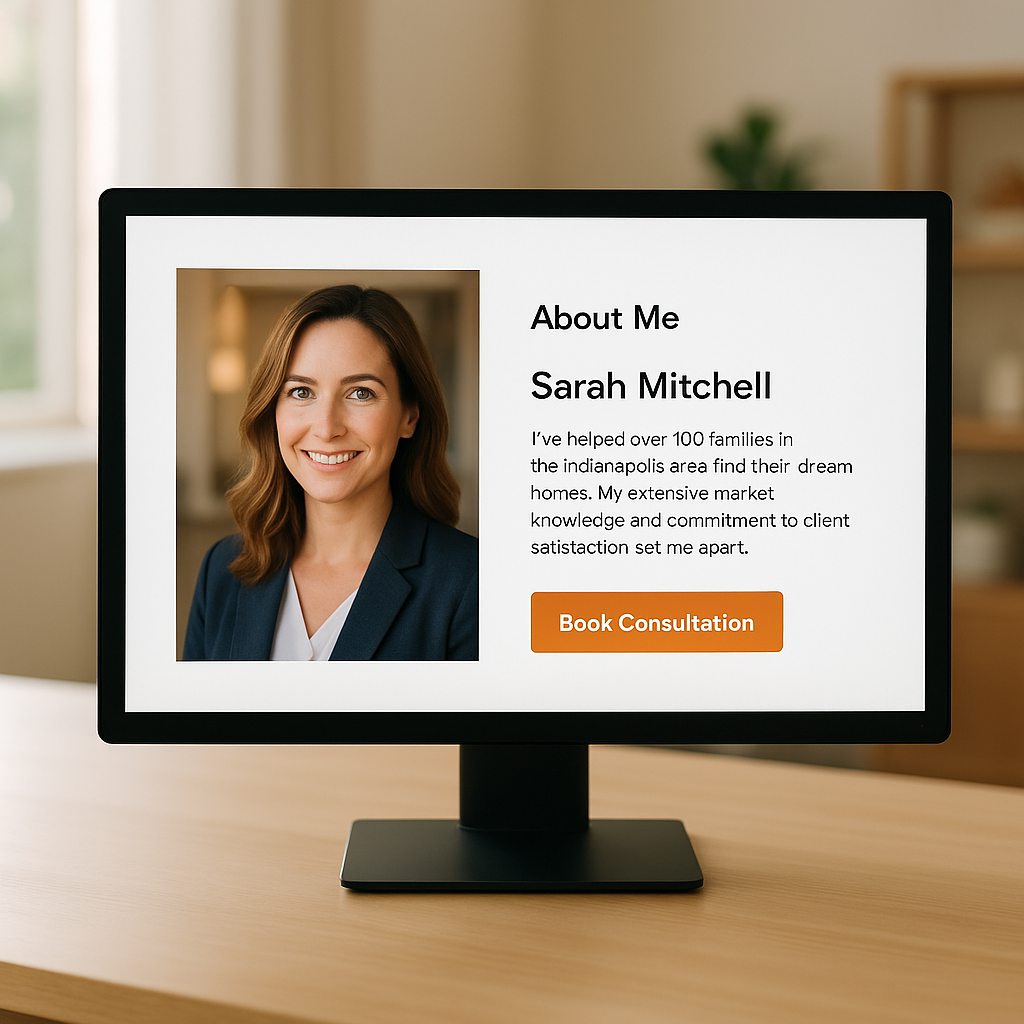
The Ideal Above-the-Fold Layout
Keep the first screen simple and conversion-focused.
What to include:
Headline with your value proposition
Example: “Helping Red Bank homeowners sell for top dollar with data-driven pricing and concierge prep.”Professional portrait with warm lighting and eye contact
Micro-bio in 2 short lines
Primary CTA button: “Book a Free Consultation”
Trust signals: logos of designations, a brief star-rating snapshot, or “350+ families served”
Why it works: Visitors decide in seconds if you’re relevant. This layout gives instant clarity, proof, and a path forward.
Tell a Clear Story With a Buyer-Seller Lens
Structure your main content so readers see themselves in your story.
Use this proven flow:
Who you serve: “I help downsizing sellers, relocating families, and first-time buyers in [Your City].”
Why you do it: A short, authentic origin moment
How you work: Your repeatable process, explained simply
Proof: Stats, reviews, media features, awards
Next step: Invite them to schedule a consult
Avoid: Long resumes, jargon, or walls of text. Keep paragraphs to 2–4 sentences.
The 5-Section Layout That Converts
1) Snapshot Intro
One crisp headshot
One-sentence mission
One primary CTA
2) Your “Signature Process”
Use a simple three-step model:
Plan: Pricing, prep, and marketing timeline
Promote: Pro photos, video, open houses, digital ads
Perform: Negotiation, inspections, smooth closing
Add a small diagram or icons for quick scanning.
3) Proof That Reduces Risk
Numbers: “Average days on market: 14” or “List-to-sale ratio: 101%”
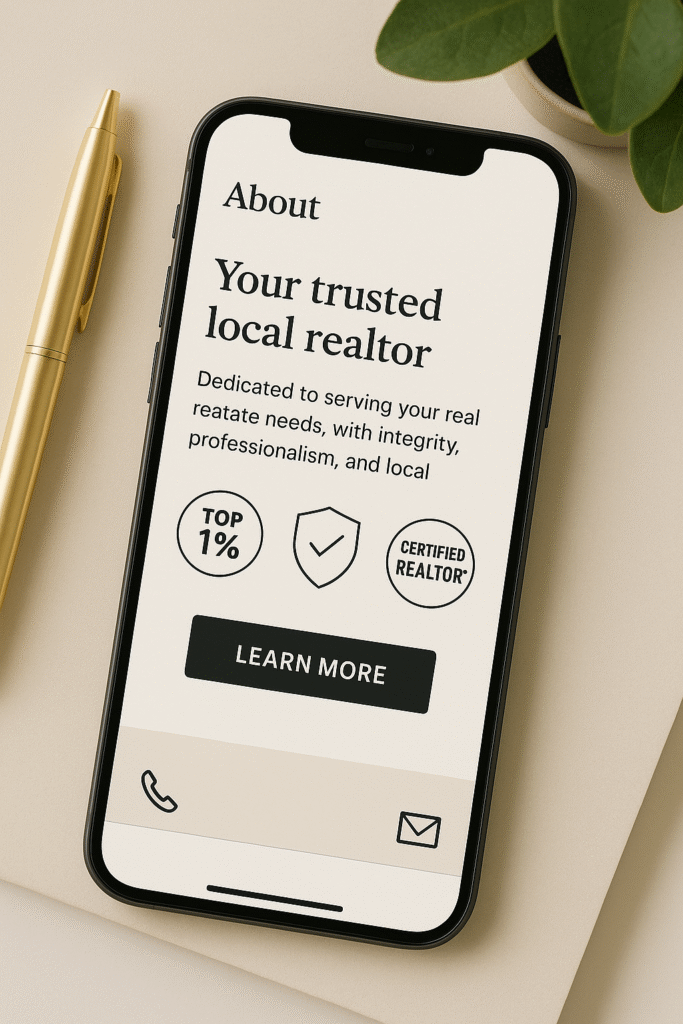
Badges: Designations, local awards, media mentions
Reviews: 2–3 short quotes with first name and neighborhood
4) Personal Connection
A human detail or two: “Former teacher. Dog-dad. Weekend trail runner.”
Local roots: “Born and raised in [Area], volunteer with [Organization].”
Community photos that feel real, not stocky
5) Clear Next Steps
CTA button to book a consult
Secondary options: call, text, or calendar link
FAQ: “How soon can we list?” “What’s your fee?” “Do you offer staging?”
What To Write: A Fill-in-the-Blanks Bio Template
Headline:
“I help [ideal client] in [market] [key outcome] using [unique approach].”
Intro:
“Hi, I’m [Name]. I’ve helped [X] families in [Area] buy and sell with less stress and better results. Sellers work with me for my [advantage, such as concierge prep and pricing strategy].”
Process (3 steps):
“Plan. Promote. Perform. Here’s how we make your move simple.”
Proof:
“Over the last 12 months: [X] closings, [Y]% list-to-sale ratio, [Z] days on market. Recent review: ‘[Short quote].’”
Personal:
“Outside of real estate I’m [personal detail].”
CTA:
“Thinking of selling in the next 90 days? Book a free consultation.”
Design Best Practices That Build Trust
-
Readable typography with generous line-height
-
Plenty of white space so content breathes
-
Consistent headshots and brand colors across the site
-
Scannable subheadings and bold key terms
-
Mobile-first layout with buttons you can tap easily
-
ADA basics: alt text, color contrast, and descriptive link labels
Social Proof That Actually Moves the Needle
Use social proof that speaks to outcomes, not just “great to work with.”
Best formats:
-
Before-and-after prep photos with quick captions
-
Short video testimonials under 45 seconds
-
Map of recent sales clustered in your core neighborhoods
-
Micro-case studies: “Listed Friday, 7 offers by Monday, closed 14% over list”
Smart CTAs and Lead Capture
Place a primary CTA above the fold and again after your testimonials. Add a gentle, low-friction option like:
-
“Get my 7-Step Seller Prep Checklist”
-
“Instant Home Value Estimate” with a short form
-
“Market Update for [Neighborhood]”
Pair this with supporting posts like Best Free Tools for Realtors, Facebook Ads vs Google Ads for Realtors, and Top 5 Best CRMs for Realtors to strengthen your funnel and nurture leads.
Real-World Scenarios
Scenario 1: The Relocating Seller
They skim. They want proof. Your hero snapshot shows “Relocation-ready listing plan” and two fast stats. A map of recent sales plus one relocation testimonial seals the deal.
Scenario 2: The Luxury Move-Up Buyer
They want polish and privacy. Showcase your media-grade photography, concierge showings, and an invite-only buyer tour process. Link them to Real Estate SEO Best Practices – The Modern Agent’s Playbook to reinforce authority.
Scenario 3: The First-Time Seller
They’re anxious. Your FAQ explains fees, timelines, and prep. Offer the free checklist, then point to How to Turn Website Traffic Into Leads to show your marketing savvy that benefits their sale.
Quick Checklist Before You Publish
Headline says who you help and how
Professional headshot and concise micro-bio
Primary CTA above the fold and near the footer
Three-step process with icons
Two short testimonials and one data point
FAQ with 3 to 5 common questions
Alt text on every image
Mobile layout tested on two phones
Links to at least three internal resources listed above
How Digital Dream Homes Can Help
We design About pages that look high-end and load fast, with conversion copy that feels human. We pair that with schema, internal linking, and on-page SEO so Google understands your expertise and clients feel it.
Conclusion: Master Realtor About Page Best Practices To Win More Listings
A strong About page gives visitors clarity, confidence, and a clear next step. Follow these realtor about page best practices to turn casual browsing into booked consultations. Ready for a conversion-focused About page that looks premium and performs even better? Book a free consultation with Digital Dream Homes and we’ll build it with you.
Matt Pieczarka
Want a Free Website Audit?
Fill out your information below and we will send you a personal screen share video of tips on how to make your actual website better!
See How Many Closings You're Losing to Zillow!
Click Here to Use our Calculator to See How Many Clients Zillow is Taking From You Per Year!
7 HVAC Website SEO Fixes Contractors Use to Get More Calls
7 HVAC Website SEO Fixes Contractors Use to Get More Calls The tricks learned in this video and blog post have gotten one of our HVAC clients an average of one new lead per
7 Local SEO for HVAC Company Websites Best Practices
7 Local SEO for HVAC Company Websites Best Practices The tricks learned in this video and blog post have gotten one of our HVAC clients an average of one new lead per day! W
7 Mobile Friendly HVAC Website Design Tips That Get Calls
7 Mobile Friendly HVAC Website Design Tips That Get Calls Check out the video for a behind the scenes look at optimizing a website for mobile devices Want More Clients Fast?
8 Best HVAC Website Design Ideas
8 Best HVAC Website Design Ideas The tricks learned in this video and blog post have gotten one of our HVAC clients an average of one new lead per day! Want More Clients Fas
7 Steps to Build a HVAC Company Website That Gets Leads
7 Steps on How to Build a HVAC Company Website That Generates Leads The tricks learned in this video and blog post have gotten one of our HVAC clients an average of one new
8 Local HVAC Social Media Marketing Tactics to Own Your City
8 Local HVAC Social Media Marketing Tactics to Own Your City After we tightened one HVAC client’s social targeting to just three neighborhoods, they booked 17 service calls in 30
7 HVAC Social Media KPIs That Actually Drive Revenue
7 HVAC Social Media KPIs That Actually Drive Revenue The tricks learned in this video and blog post have gotten one of our HVAC clients an average of one new lead per day! https://
7 Must Know Truths About Social Media Marketing For HVAC
7 Must Know Truths About Social Media Marketing For HVAC One HVAC client went from ‘boosting posts’ to booking 18 qualified service calls in 30 days once their social ads and w
7 HVAC Social Media Content Ideas That Don’t Feel Salesy
7 HVAC Social Media Content Ideas That Don’t Feel Salesy Check out the video for a behind the scenes look of how we run our clients social media accounts to turn followers into c